03 / 052026DESIGNED AND DEVELOPED END TO END
PDF Studio
Desktop PDF editor designed to work locally without uploading files to external servers.
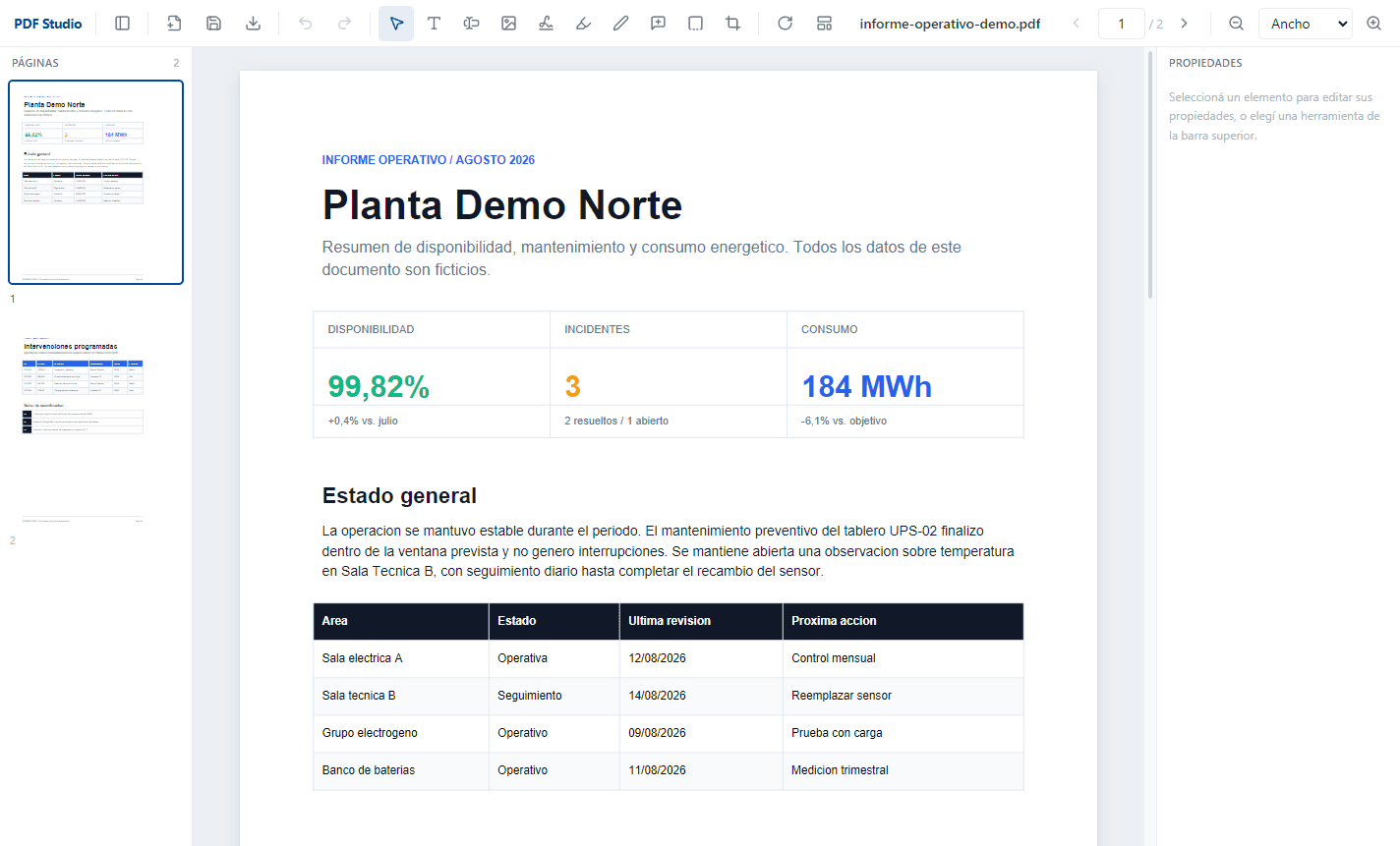
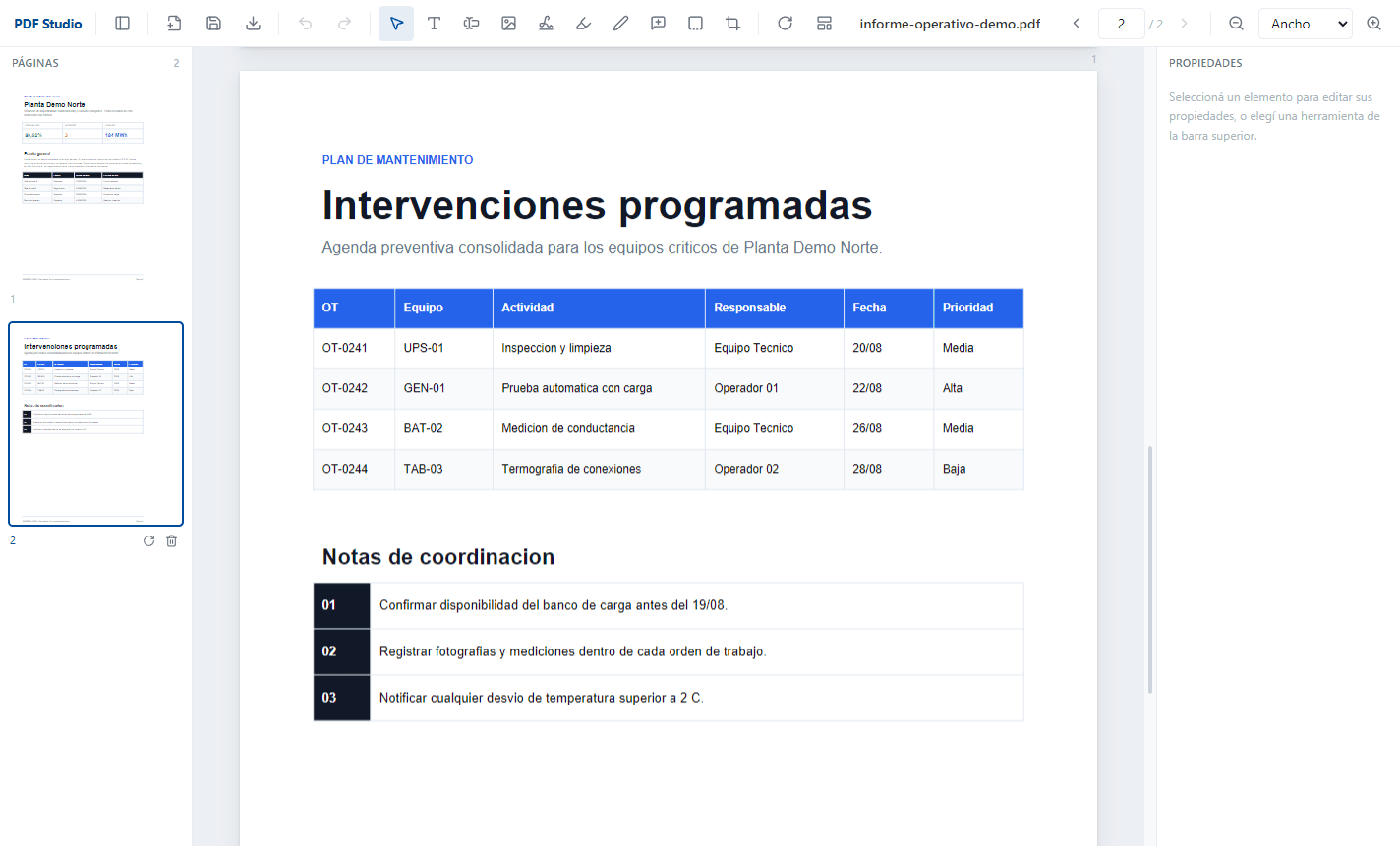
Text, image, signature, annotation and page editing with editable projects, undo/redo and atomic saves; everything remains on the user's machine.
- YEAR
- 2026
- ROLE
- End-to-end development
- STATUS
- Documented case
Context
Editing a PDF often means uploading it to a web service. For sensitive documents, that is already a problem. PDF Studio starts from the opposite constraint: the file never leaves the machine.
What I built
I developed the Electron main process, controlled file-system access, React/TypeScript interface, PDF.js rendering, pdf-lib operations, Zustand state and the editable project format.
How it works
The document is rendered locally. Edits accumulate as operations with undo and redo, then apply on save. Atomic saving writes a complete copy before replacing the original.
Features
- Open and drag PDF files
- Edit and add text
- Images and signatures
- Highlighting and free drawing
- Comments
- Content covering
- Cropping
- Rotation and reordering
- Page deletion
- Templates
- Recent files
- Editable projects
- Undo and redo
- Zoom
- Atomic saving
Technical decisions
When original content cannot be modified precisely, the app offers an explicit cover rather than pretending to perform an unsafe deletion. Interface, main process and file access remain separated.
Results
The application is in daily use, both personally and across the work team, and it replaced a monthly subscription to a commercial editor. The real change is not the cost: documents that used to be uploaded to a web service for a minor correction are now handled on the desktop and never leave the machine.
Privacy
All processing is local, with no file uploads or external services. The document and its projects remain on the user's computer.
Frequently asked questions
What people usually ask.
What is PDF Studio?
A desktop application for editing PDF documents locally: text, images, signatures, annotations, drawing, pages, cropping and rotation, with editable projects and undo/redo.
Are files uploaded to a server?
No. All processing is local: the document and its projects stay on the user's machine, with no file uploads or external services.
How does it avoid losing the original document on save?
Saving is atomic: it writes a complete copy before replacing the original. Edits accumulate as operations with undo and redo, and apply only on save.
What technologies is it built with?
Electron with React and TypeScript on Vite, Zustand for state, Tailwind CSS in the interface, PDF.js for rendering and pdf-lib for document operations.
Technology stack
Gallery
The complete interface.
Private screenshots use fictional information.